Detection Evasion - Signing
In the previous post, we built a simple in-memory shellcode loader. Before we look at other methods of injection and evasion techniques, lets upload our evil.dll from the previous exercise to VirusTotal
fd576d27b0b7d78a22c72876a7022ab7454ea459e2a3f877d041c4994f57f8bf
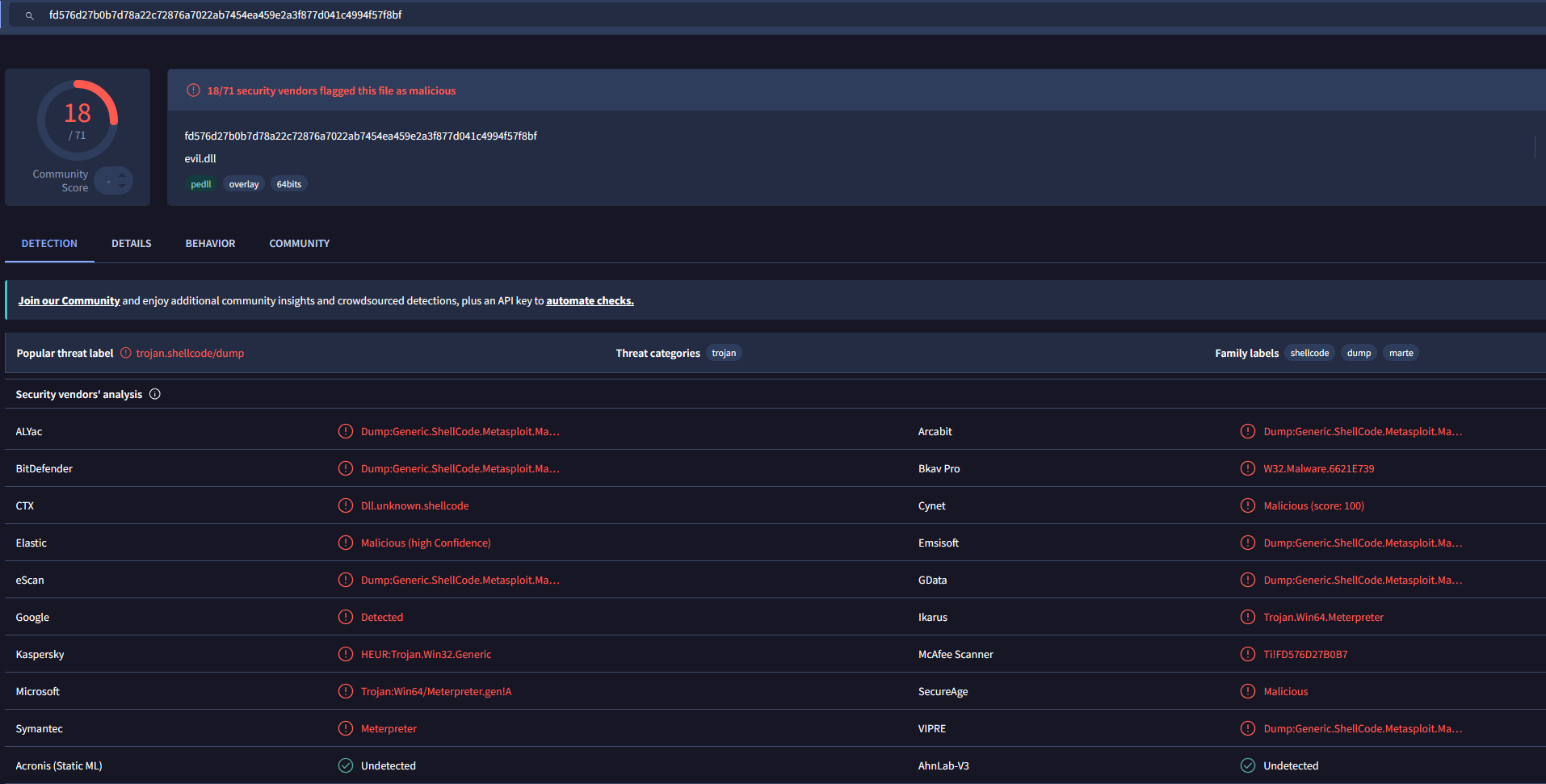
That’s not good, we can see it will bypass a few AVs but it isn’t very trustworthy. Unsigned DLLs are inherently suspicious, particularly when loaded by a known LOLbin like we did before with rundll32
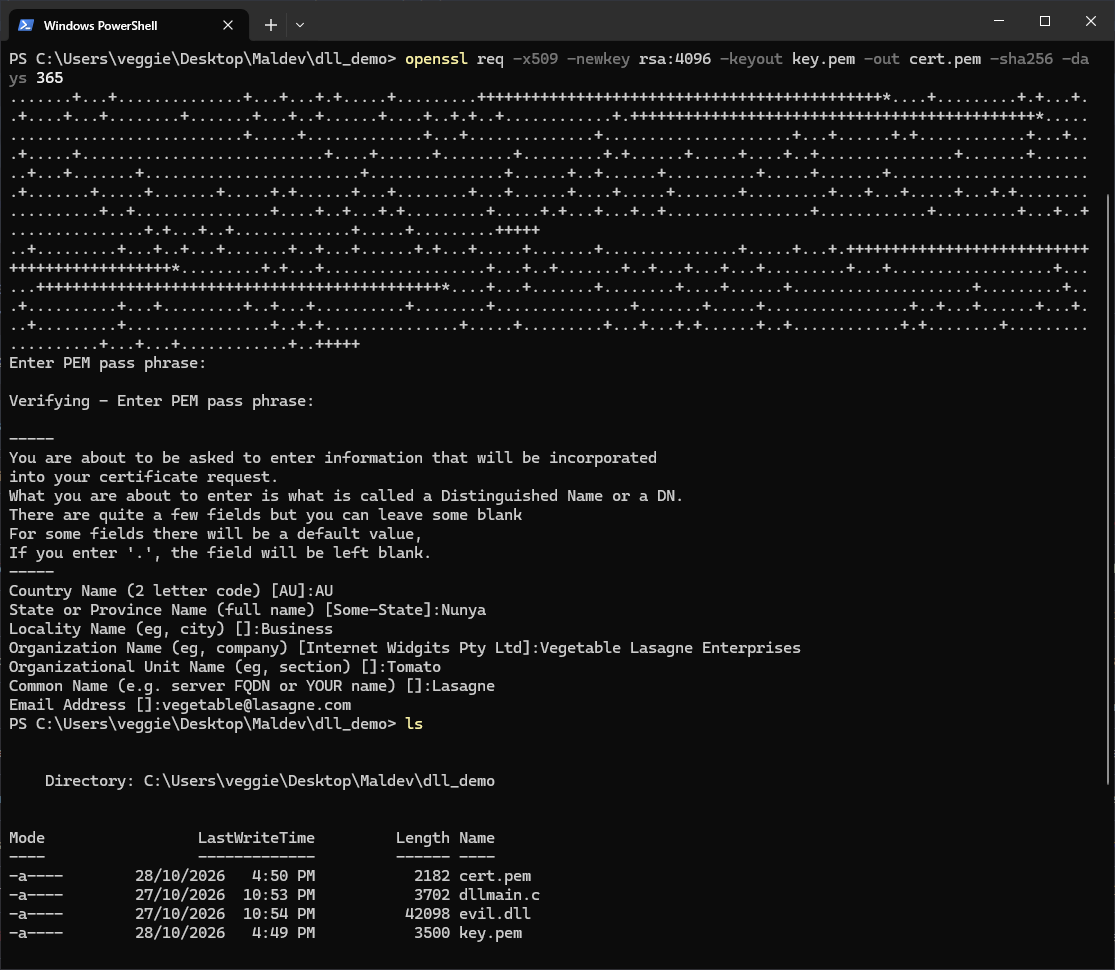
First we need to generate a pem file, some information is required to be in the certificate but you can make it up, this will create two files, a key.pem (private key) file and cert.pem (certificate) file. You will be required to enter a PEM pass phrase or it won’t generate.
openssl req -x509 -newkey rsa:4096 -keyout key.pem -out cert.pem -sha256 -days 365
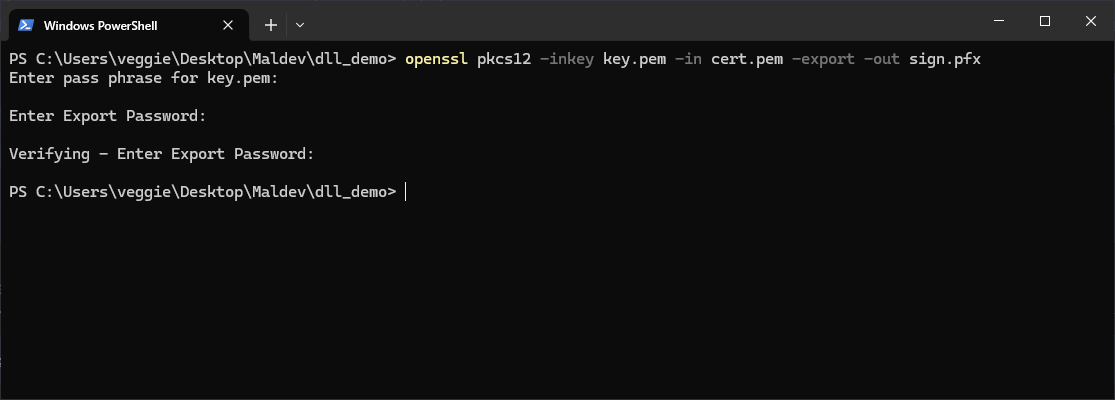
After this, we have to generate a pfx file, this will use the pem files created last step, and prompt you for the pass phrase, as well as an export password. This is the format Windows expects for code signing.
openssl pkcs12 -inkey key.pem -in cert.pem -export -out sign.pfx
Now, we need to sign the binary using signtool present in the Windows SDK. This needs to be done in the Visual Studio Developer Command Prompt
signtool sign /f sign.pfx /p 1234 /t http://timestamp.digicert.com /fd sha256 evil.dll
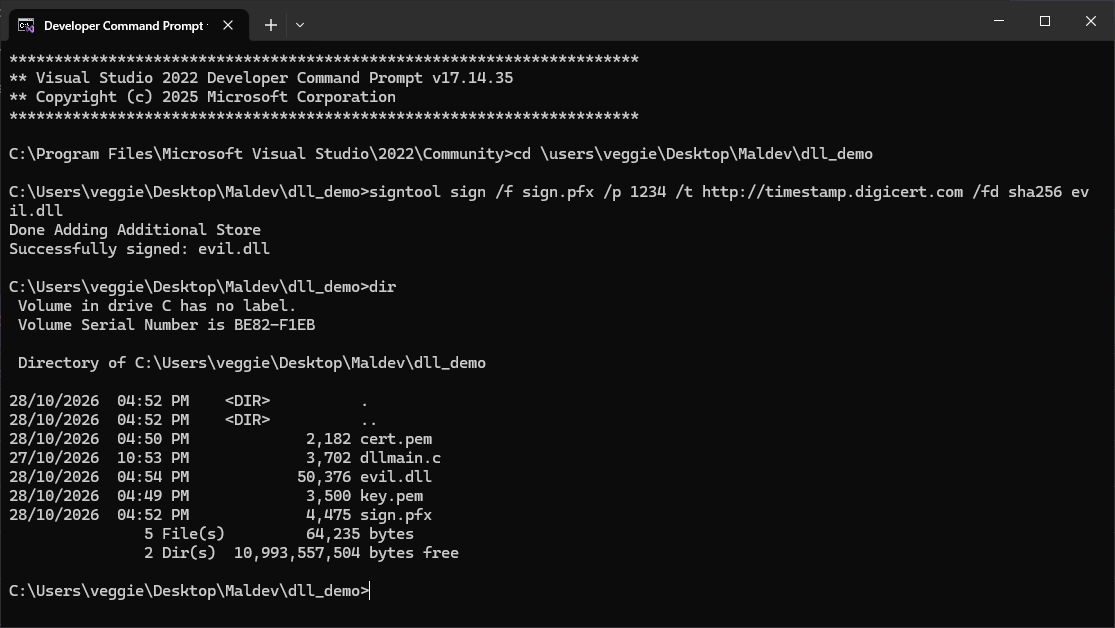
Breaking down the flags:
/f sign.pfx- the certificate to sign with./p 1234- the export password set in the previous step./t http://timestamp.digicert.com- a timestamp server, this embeds a trusted timestamp so the signature remains valid even after the certificate expires./fd sha256- the hashing algorithm for the signature.
Let’s upload this newly signed DLL to virustotal.

We see we have a couple less detects, now, this isn’t very impressive, and is mainly because we are just running easily detectable meterpreter shellcode, but we can start to see how signing binaries makes them more trustworthy, even with a self-signed certificate. There are a number of ways to obtain more trustworthy certificate:
- Purchase from a vendor. Code signing certificates from providers such as DigiCert or Sectigo are trusted by default on Windows. These are commercially available but vendors have KYC requirements, and certificates used to sign malware are typically revoked quickly once reported.
- Leaked or stolen certificates. Legitimate certificates that have been exfiltrated from compromised organisations occasionally surface. A certificate from a known software vendor carries significant trust and is much harder for security products to flag. Depending on your jurisdiction, obtaining and using these may constitute additional criminal offences beyond standard computer misuse.
- Extended Validation (EV) certificates. These carry the highest level of trust in Windows SmartScreen and AV scoring. They require more rigorous identity verification to obtain legitimately, which is why they are particularly valuable when stolen or fraudulently obtained.
Signing is one layer of a broader evasion strategy and on its own against a mature EDR it won’t get you far, but combined with better shellcode, syscall evasion, and a less suspicious execution chain, certificate trust is a meaningful signal that works in an attacker’s favour.
Detection & Response
From a defender’s perspective, signatures are treated as one signal among many others rather than a trust decision on its own. The key indicators to look for are certificate anomalies such as a self-signed certificate, certificates with no established reputation, certificates issued to organisations that don’t match the software publisher, or certificates that have been previously associated with malicious activity. Behavioural detections remain the most reliable layer regardless of signing status, a signed DLL loaded by rundll32 that allocates executable memory, flips permissions, and spawns a thread is still doing exactly what an unsigned one does, and a mature EDR will catch that sequence independent of the certificate. This is also why supply chain attacks are so damaging, when a threat actor compromises a legitimate software vendor and signs malware with their valid certificate, the binary passes trust checks that would otherwise catch it, as seen in incidents like SolarWinds and 3CX. Certificate revocation is also a fast and effective response once a malicious signed binary is identified, CAs can revoke the certificate, and Windows will reject the signature on subsequent execution if revocation checking is enforced. The practical takeaway for defenders is to never whitelist or reduce scrutiny on a binary purely because it is signed.